
SP0015 - Loader flashing and testing#
Grassland Loader: Flashing and Testing#
The Grassland Loader is a command-line utility used to flash firmware and environment parameters to Grassland Motor Control (MC) boards. For a complete, step-by-step startup guide for the MC23 or MC24 boards, please refer to their respective hardware documentation pages.
Prerequisites & Environment Setup#
To ensure the loader has the correct dependencies and network permissions, the following tools are required:
Docker Environment: You must use the pre-configured TI Docker Container to provide a compatible environment for the flashing tools.
Network Configuration: To automatically configure the EtherCAT network interface on a robot, use the etherlab_toggle tool.
Usage#
The loader is wrapped in a convenience script (runLoader.sh) that automatically handles launching the underlying Python CLI inside the required Docker container.
Execute the script from the deploy repository:
./runLoader.sh
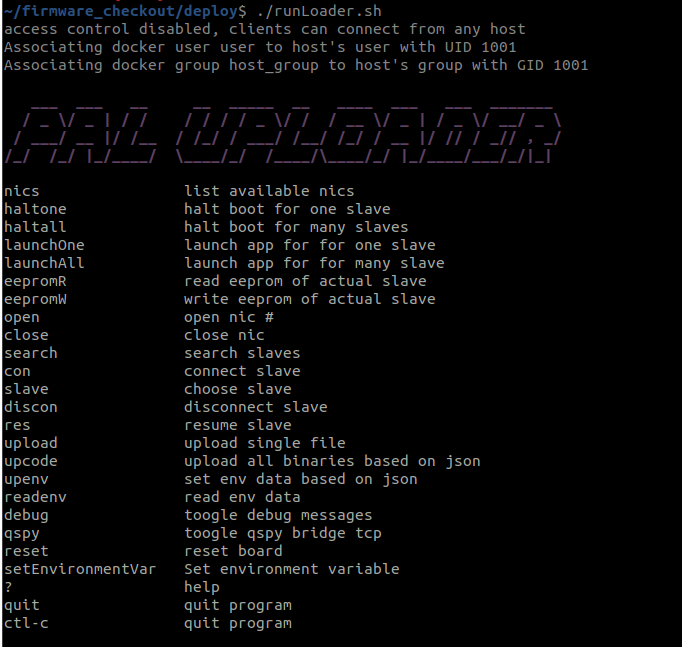
Commands#
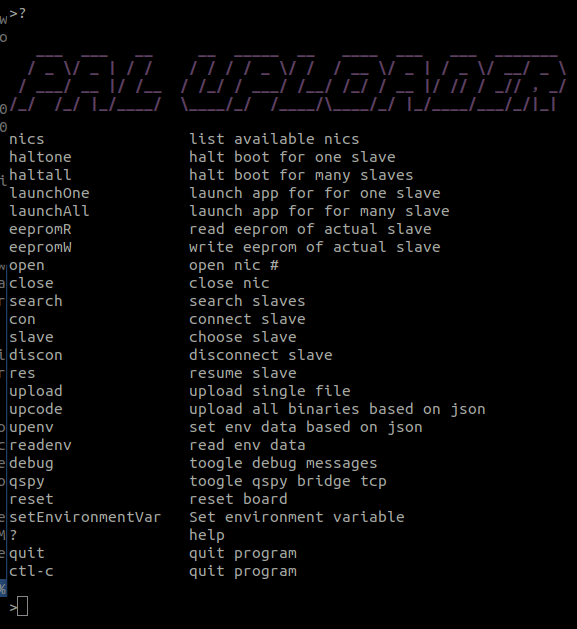
Help#
Type ? at any time to display the main menu again.
Open nic#
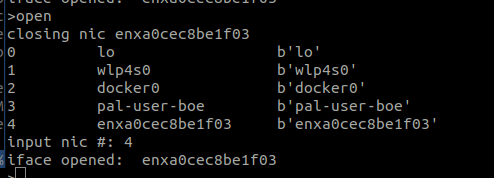
Initialize and open the desired Network Interface Card (NIC) using the open command, then select the corresponding interface number from the list.
Search slaves#
Scan the network for connected EtherCAT slaves using the search command. If no slaves are detected, verify your network cabling, ensure the EtherCAT Link LED is active, and confirm that the correct NIC was selected.

EEPROM read and write#
Flash the EEPROM by executing the eepromW command and selecting the appropiate binary file.
Read the currenty flashed EEPROM data and backup it using the eepromR command.

Halt boot#
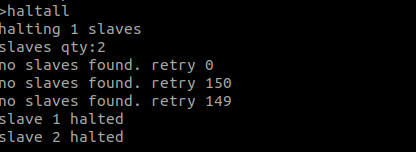
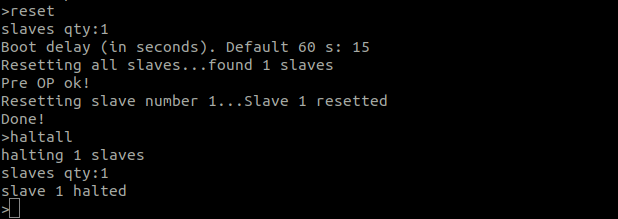
All MC23/4 boards feature a pre-configured boot delay timer that begins counting down as soon as the board powers on. When this timer expires, the board automatically executes the main application. To interact with the bootloader, you must stop this countdown using either the haltall or haltone command.
The duration of this countdown is determined by the boot delay parameter stored in the environment. You can modify this value by connecting to a slave and using the env menu (see the Connect to a slave section section below).
Reset#
The reset command forces a hardware reset on the target board while it is running the main application. It asks for the number of slaves to reset and how much bootdelay to set. This will restart the boards and trigger the boot delay timer once again!
Flash firmware#
Flashing the application firmware requires a specific .json configuration file. For details on how to structure this, see the EtherCAT Loader .json configuration documentation.
Execute the upcode command and select the target firmware file.

Flash environment#
Environment parameters are also loaded via a .json file. The tool will automatically update the board by appending new parameters, updating modified ones, and overwriting existing duplicates.
Use the upenv command to flash these parameters.

Launch application#
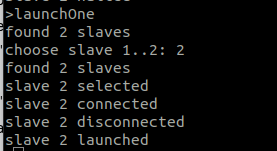
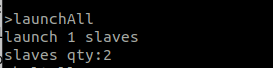
After successfully uploading the firmware, you can boot the application using either the launchOne or launchAll commands. The CLI will prompt you to specify which slave or how many total slaves you want to launch.
Connect to slave#
Establish a direct connection to a specific slave using the con command, then select the target slave ID. Once connected, typing ? will display the dedicated bootloader submenu.
The primary submenus available within the slave interface are:
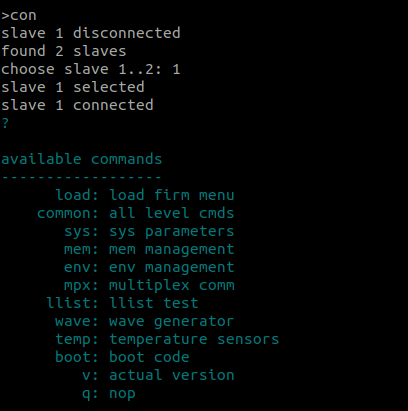
The main commands here are the following:
env(environment management): Used to manage environment parameters. Inside this menu, you can read all stored parameters, set specific parameters using the format token:value, fetch individual values, or delete one or all parameters.mem(memory management): Allows direct interaction with the hardware memory. You can display, write to or erase specific memory sectors by providing the target memory address.common(all level commands): Contains general utility commands. It includes options to reset the CPU/system, restart the bootloader, launch the application or print your current active core usingwhoami. You can also quickly switch between cores from any menu by simply typing cm or cpu1.sys(system parameters): Displays live system diagnostic information, such as the system clock configuration, uptime counter, and watchdog counts.
Normal usage workflow#
open: Open the appropriate Network Interface Card (NIC).reset: Reset the board(s) if they are currently running an application.haltall: Halt all slaves immediately to stop the boot delay countdown and force them to remain in the bootloader.upcode: Upload the application firmware by selecting the .json configuration file that points to your desired binaries.upenv: Upload the environment parameters by selecting the .json file containing the correct parameters for your specific actuator and firmware version.con: Connect to the target slave to verify the installationEnter
envsubmenuExecute
readto check the parameters are correctly setUse
set token:keyandsaveto manually append or modify a specific parameter.Use
get tokento print the value of this parameter.