Cyclone Interfaces#
The Cyclone Interfaces section is available from the Networking Control Center (regardless of whether the robot uses Mikrotik or Netplan), and the behavior is the same in both cases: It allows configuring which network interfaces Cyclone DDS should use for communication, and in which priority order. In view mode the table shows the interfaces ordered by priority (top = highest priority).
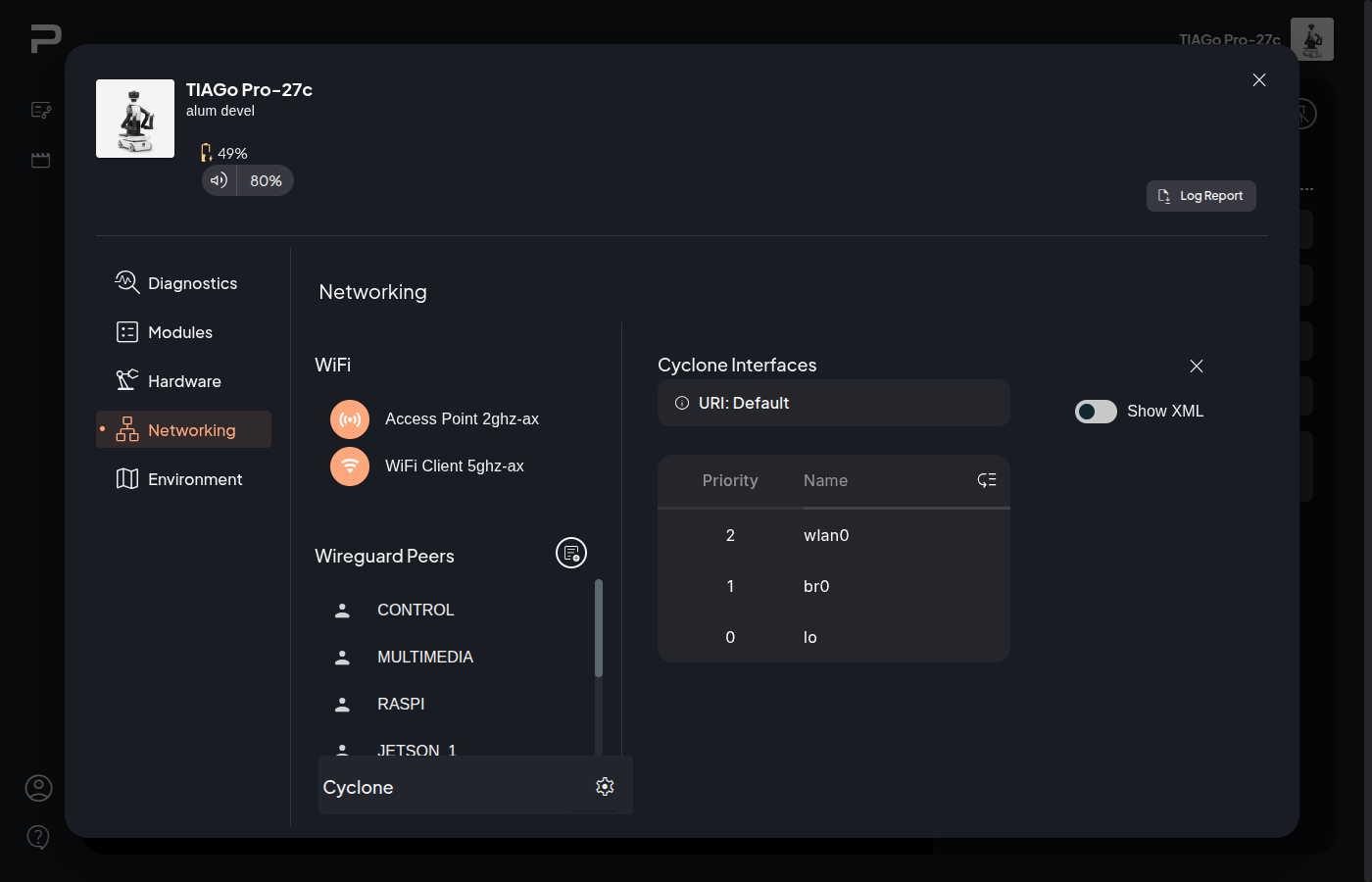
Figure 1: Cyclone Interfaces (view mode)
Enabling the Show XML toggle displays the current Cyclone DDS XML configuration.
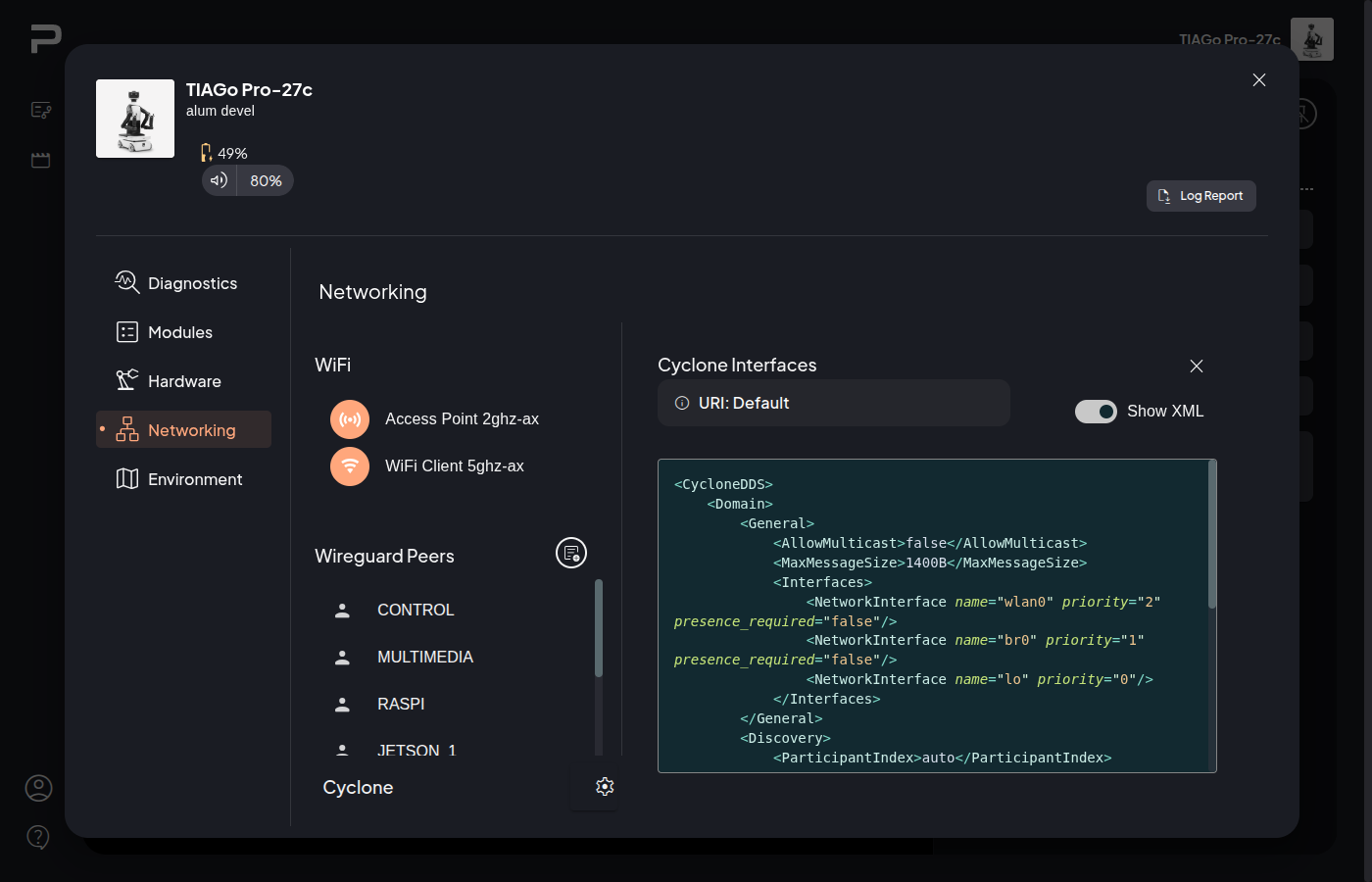
Figure 2: Cyclone Interfaces (Show XML)
Clicking on the Reorder Priority icon button opens edit mode, where interfaces can be reordered using drag and drop.
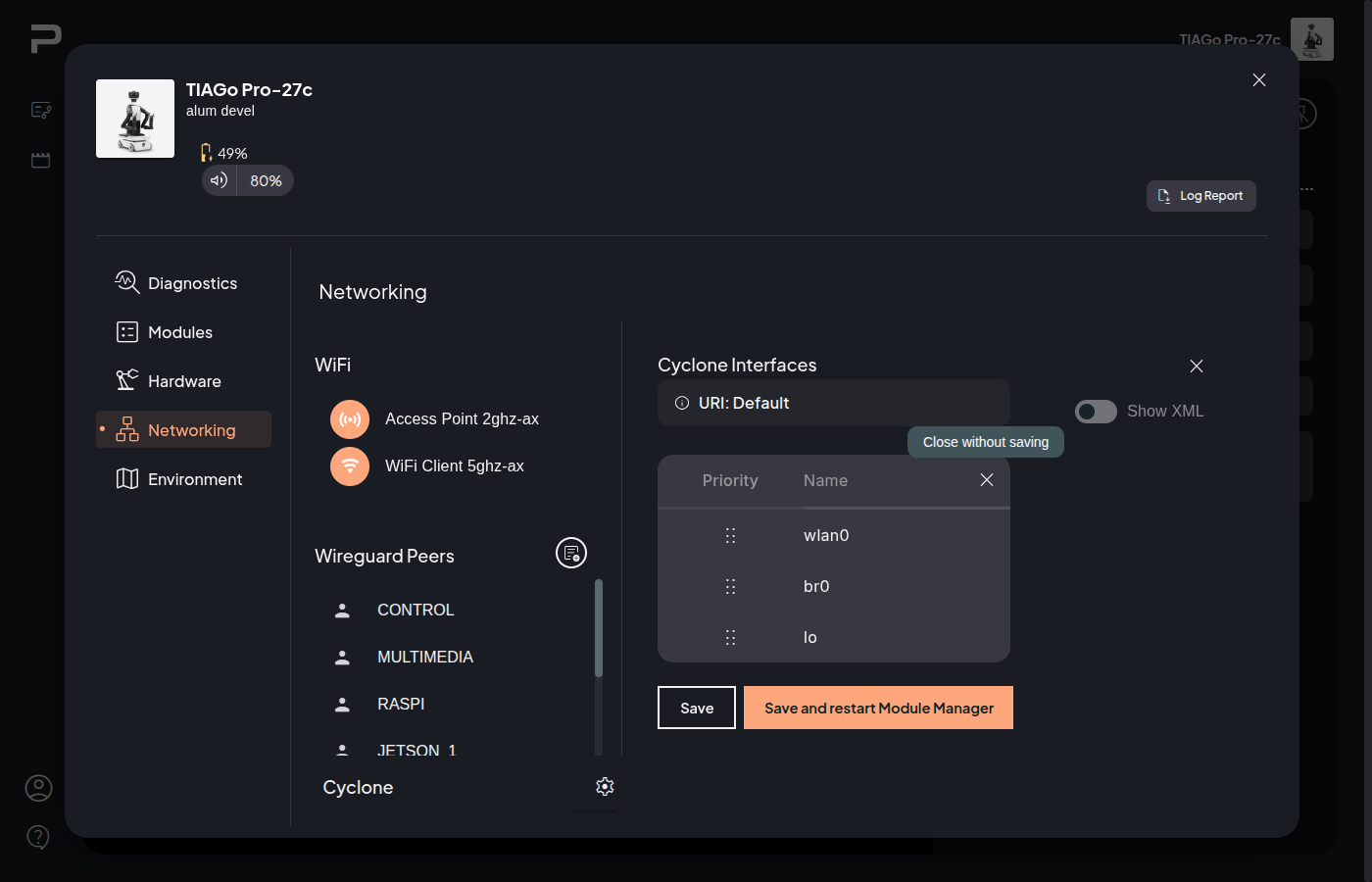
Figure 3: Cyclone Interfaces (edit mode)
After reordering, click Save (stores the change) or Save and restart Module Manager to apply the changes.
!!! Note A software restart is required for changes to take effect.
If a custom configuration is being used, it can be removed to return to the default configuration.