
Force Reconstruction (Wrench Estimator)#
The Wrench Estimator reconstructs the external wrench (force + torque) applied at
each foot from the measured actuator forces alone — no foot force/torque
sensor required. It is provided by the kangaroo_constrained_dynamics_ros
package, built on top of the Kangaroo Full Model:
the same constrained-dynamics formulation that “opens” every closed linkage and
re-imposes it as a mechanical constraint is used here to reconstruct the full
76-DOF leg configuration from the 6 actuated joints, and then to run inverse and
forward dynamics on it.
It is mainly used to visualize and validate the estimated foot wrench against a real FT sensor (RViz overlay) and, from that comparison, to calibrate the actuators’ internal force sensors.
Overview#
Parameter |
Value |
|---|---|
Package |
|
Core library |
|
Executable / node |
|
Model used |
Kangaroo Full Model (per leg, fixed base) |
Input |
Actuated-joint positions and forces, from |
Output |
Estimated external wrench at each foot |
How the Estimate is Computed#
For each enabled leg, on every /actuators_statistics/values message the node:
reads the 6 actuated-joint positions and forces by key and maps them into the model’s convention;
reconstructs the full leg configuration
q(all 76 DOFs) from the 6 actuated joints, by solving the closed-loop constraints of the full model;runs the constrained forward dynamics,
f_ext = forward(q, expand_tau(tau_act)), to recover the external wrench consistent with the measured actuator forces;rotates the result into the leg’s output frame and publishes it.
Failure policy
On missing/non-finite statistics, statistics names not yet received, a non-converged kinematics solve, or any NaN/Inf in the result, the node logs a throttled warning and skips that leg’s cycle (nothing is published for it that cycle).
Topics#
Topic |
Type |
Description |
|---|---|---|
|
|
Subscribed. Actuator statistics key names. |
|
|
Subscribed. Actuator statistics values (positions, forces). |
|
|
Published. Estimated external wrench at the left foot. |
|
|
Published. Estimated external wrench at the right foot. |
Frames#
The wrench is first computed in a world-aligned frame
(ee_reference_frame: LOCAL_WORLD_ALIGNED) — i.e. in the model’s world axes,
which for the fixed-base leg model coincide with base_link
(reference_frame) — and then rotated via tf2 into each leg’s
output_frame (default ankle_<leg>_ft_sensor_link). Since the FT frame is
co-located with the foot, this projection is a plain rotation, so the estimate
lands in the same frame the real FT sensor uses and overlays directly on it.
Set left_output_frame / right_output_frame to "" to instead publish the
world-aligned wrench in reference_frame.
Launching#
ros2 launch kangaroo_constrained_dynamics_ros wrench_estimator.launch.py
Both legs run from one shared model by default. Estimates start flowing as soon
as /actuators_statistics/* is available.
Configuration#
Parameter |
Default |
Meaning |
|---|---|---|
|
|
Which legs to estimate; e.g. |
|
|
Include gravity in the dynamics. |
|
|
TF frame the wrench is published in ( |
|
|
PAL statistics topic pair. |
|
|
Core leg-config path; empty uses the package default. |
|
|
TF frame whose axes the world-aligned wrench corresponds to. |
|
|
Pinocchio reference frame the wrench is computed in. |
Defaults live in config/wrench_nodes.yaml. Point the launch at a different file
with config:=/path/to/params.yaml.
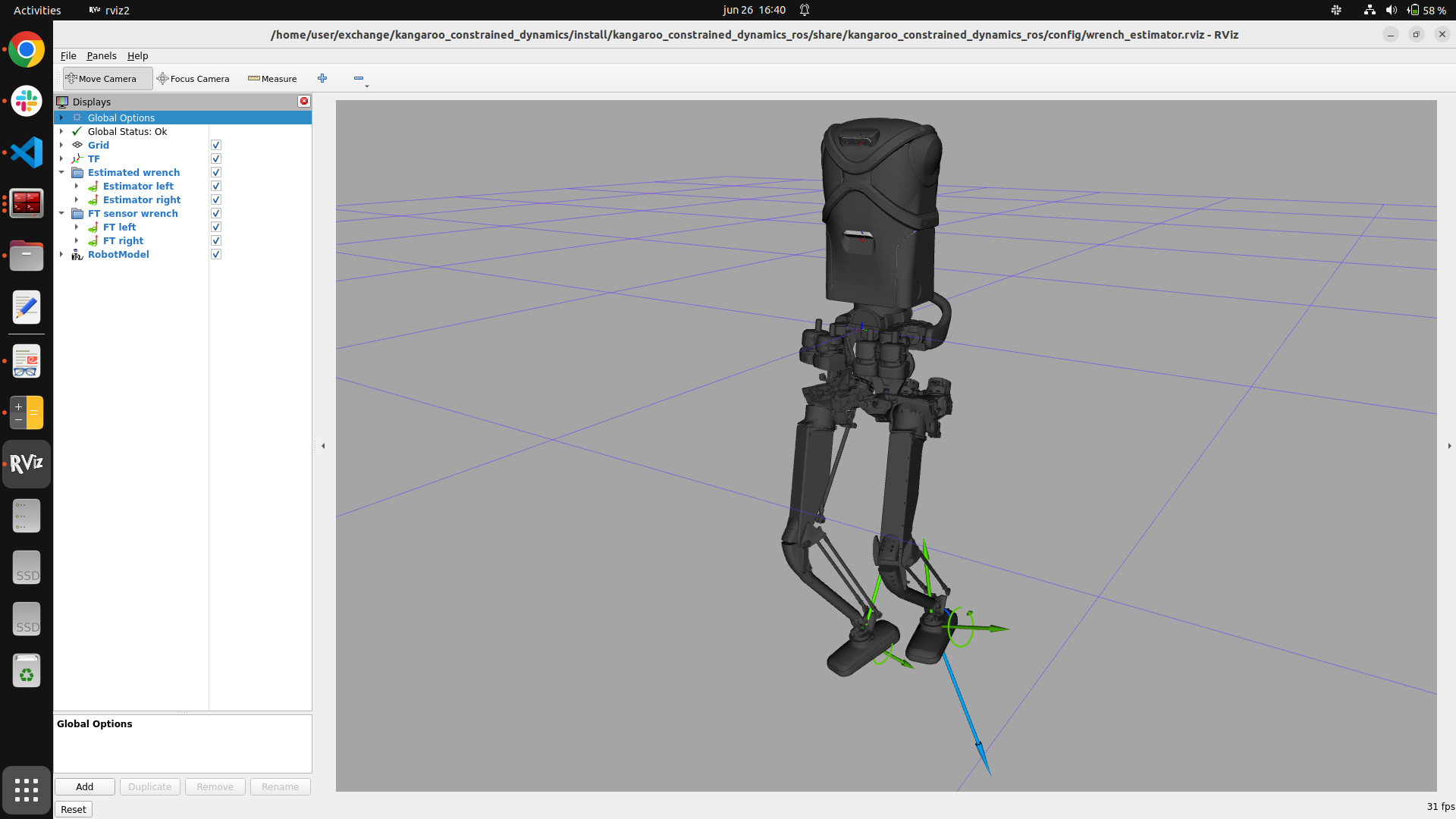
Visualizing in RViz#
ros2 launch kangaroo_constrained_dynamics_ros wrench_estimator.launch.py rviz:=true
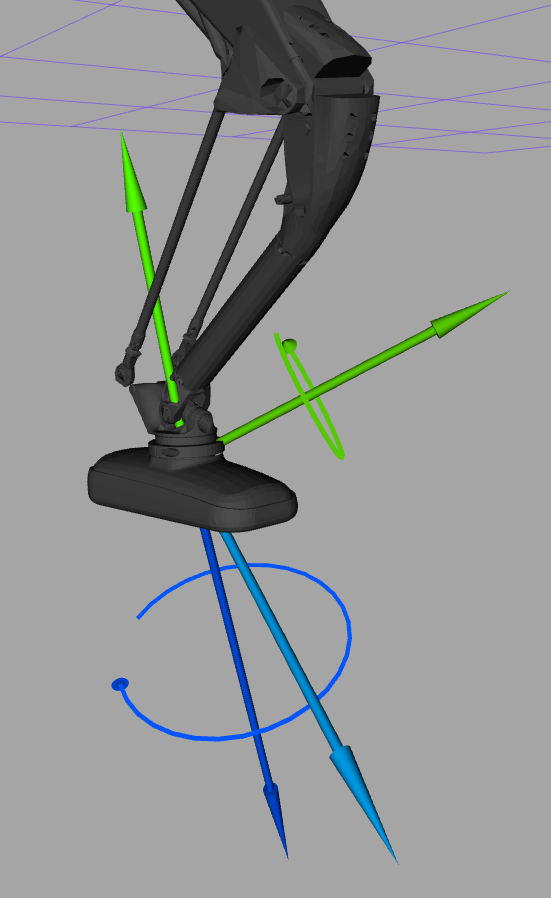
This opens RViz preloaded with four WrenchStamped displays on a base_link
fixed frame — the estimated wrench per leg (green) and the real FT-sensor wrench
per leg (blue, from /ankle_ft_{left,right}_controller/wrench, shown only when
published) — so the estimate and the ground-truth measurement overlay for direct
comparison:
Standalone, against an already-running estimator:
rviz2 -d $(ros2 pkg prefix kangaroo_constrained_dynamics_ros)/share/kangaroo_constrained_dynamics_ros/config/wrench_estimator.rviz
FT sensor as ground truth
The FT-sensor wrench is only a meaningful comparison once the FT sensor itself has a trustworthy zero (warmed up, calibrated unloaded) — see FT Sensor Calibration.