
Electronics components#
User Panel#
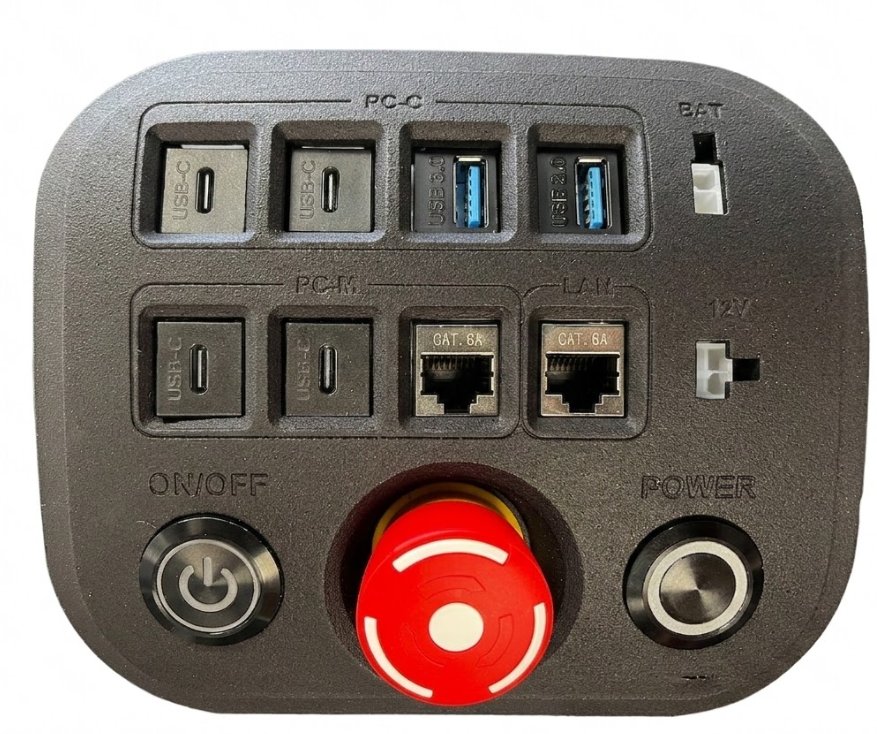
Fig. 12 User panel of the Kangaroo robot#
Item |
Description |
|---|---|
PC-Control — USB Type-C |
USB4/Thunderbolt™ 4 (5V/3A, Supports DP 2.1 display output) |
PC-Control — USB Type-C |
USB3.2 gen2x2 (Type-C, 5V/1.5A, Supports DP1.4a display output) |
PC-Control — USB Type-A |
2 × USB 3.2 Gen2 |
PC-Multimedia — USB Type-C |
1 x USB4/Thunderbolt™ 4 (5V/3A, Supports DP 2.1 display output) |
PC-Multimedia — USB Type-C |
USB3.2 gen2x2 (Type-C, 5V/1.5A, Supports DP1.4a display output) |
PC-M — RJ45 |
Ethernet port to connect to the multimedia PC |
Router — RJ45 |
Ethernet port to connect to internal LAM |
Power out |
Battery voltage input |
Power out |
12 V voltage input |
Main ON/OFF button |
Activates the power board (latching) |
Emergency button |
Robot emergency stop |
Power PULSE button |
Turns on/off the PCs (see Battery connection) |
Battery#
The robot comes with a 63 V 15 Ah (975 W) Li-ion battery (up to 3 hours autonomy) installed inside the torso. The battery has a voltage of 71.4 when fully charged. The weight of the battey is aproximately 4.160 kg.
Onboard PCs#
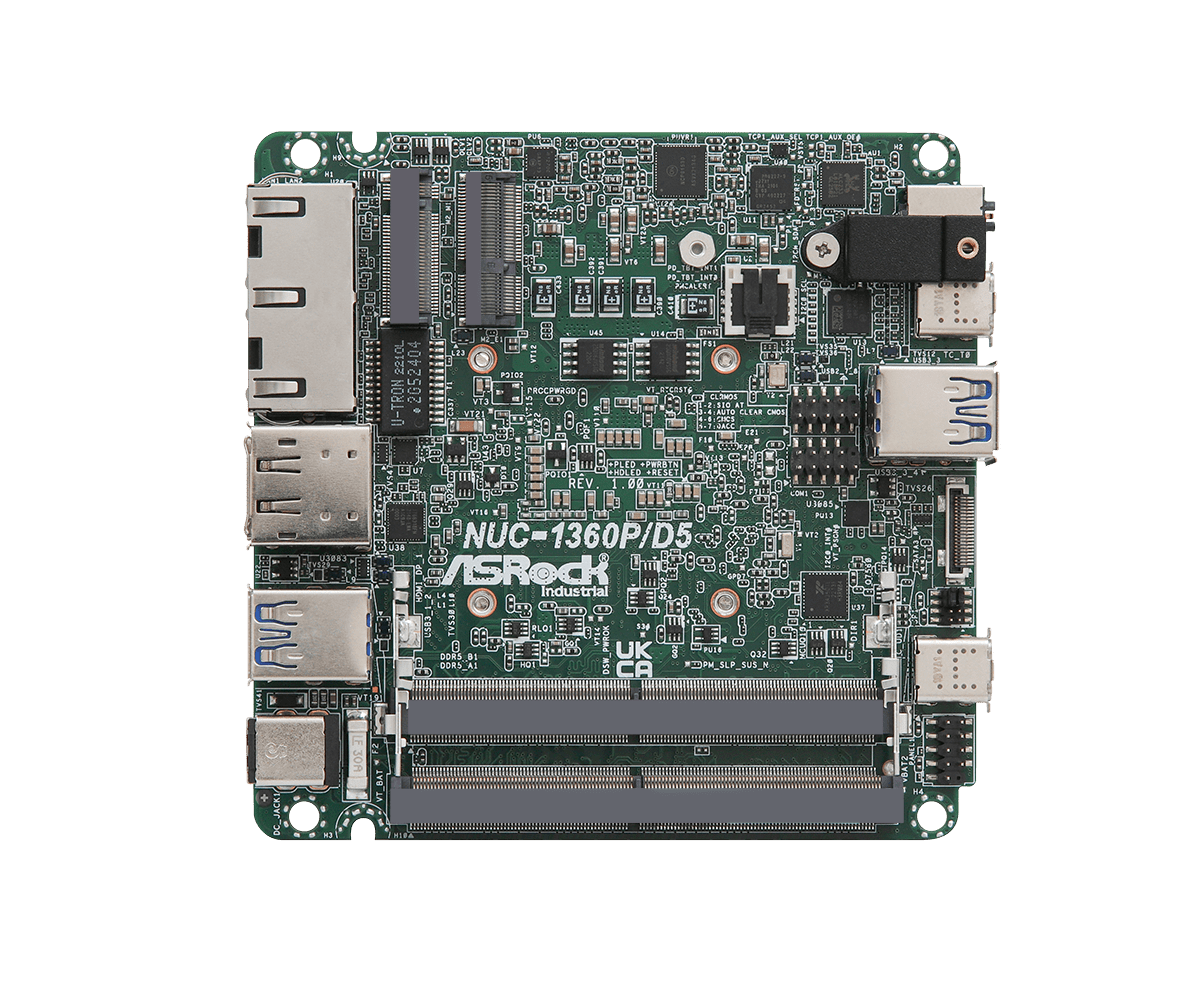
The robot has 2 embedded PCs located at the torso, which are identified as Control and Multimedia. Control PC runs the real-time control stack (ros2_control) and the EtherCAT master for communication with motor control boards. Multimedia PC is connected to the cameras.
Control PC |
Multimedia PC |
|
|---|---|---|
CPU |
Intel i7-1360P/D5 |
Intel i7-1360P/D5 |
RAM |
32 GB |
32 GB |
Disk |
1 TB SSD SATA III |
1 TB SSD NVME M.2 |
EtherCAT |
i210 (igb) M.2 |
- |
Networking#
Wireless connectivity is provided by a compact, high-performance dual-band Wi-Fi 6 (802.11ax) router. It features a powerful 864 MHz quad-core ARM processor, 1 GB of RAM, and 128 MB of storage to handle intensive network routing and heavy traffic. The unit provides five Gigabit Ethernet ports, supporting convenient dual-power inputs via a standard DC jack or passive PoE-in and PoE-out capabilities. Running on RouterOS v7, it delivers advanced corporate-grade security features like WPA3 encryption.
For full networking documentation see the Devices page and the sections below:
Default Network Configuration — factory network settings, WiFi credentials, and IP address scheme.
Accessing the Router — how to connect to the router web interface for configuration.
General Network Configuration — choosing between standalone, LAN-connected, and VPN modes.
🔧 Setting up the Access Point — configuring the robot’s built-in WiFi access point.
🔧 Connecting to Your LAN — connecting the robot to an existing local network.
🔧 Network Configuration Advanced: WireGuard VPN — setting up an encrypted WireGuard VPN for remote access.
GPU#
An optional NVIDIA Jetson Orin AGX GPU module is available for AI workloads. It can be powered by the 12V power connector of the user panel and connected with Ethernet to onboard computers and LAN.
Onboard and Wireless Emergency buttons#
The robot integrates an emergency button (punch type) on the torso to cut power to the motors (shown in the user panel in Fig. 17) and also a wireless emergency button (Fig. 13) that can operate up to 10 meters away from the robot, and will trigger the same emergency event as the button on the robot torso.
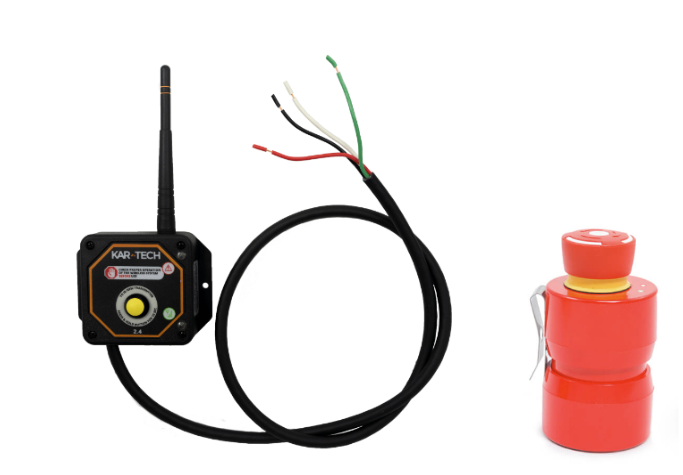
Fig. 13 Wireless emergency button receiver and remote button.#
When the emergency button is pressed, Safe Torque Off signal is also propagated in order to put motor control boards in emergency mode and trigger a quick stop behavior and cutting off motor power.
The boards are still able to communicate over EtherCAT when the emergency button is pressed.
For procedure about how to recover from an emergency button trigger event, refer to {doc} ../robot_usage_guide/emergency.md
AHRS (IMU)#
Kangaroo is equipped with a MicroStrain 3DM-CV7-AHRS sensor mounted in the torso and an additional optional IMU mounted in the base link. The full device specifications are provided in the following table:
AHRS Parameter |
Accuracy (static) |
Accuracy (dynamic) |
|---|---|---|
Roll, Pitch |
0.25˚ |
0.5˚ |
Heading |
0.5˚ |
2˚ |
IMU Parameter |
Accelerometer |
Gyroscope |
|---|---|---|
Range |
±4g, 8g, 16g |
±250°/s, 500°/s, 1000°/s |
Random Walk |
30 µg/√Hz |
0.14°/√h |
Bias Instability |
18 µg |
1.5°/h |
Noise Density |
30 µg/√Hz |
8.5°/h/√Hz |
Turn-on to Turn-on Bias |
40 µg |
0.004°/s |
Bias Error Over Temperature |
0.75 mg |
0.03°/s |
Scale Factor Error Over Temperature |
600 PPM |
1000 PPM |
RGB-D Cameras#
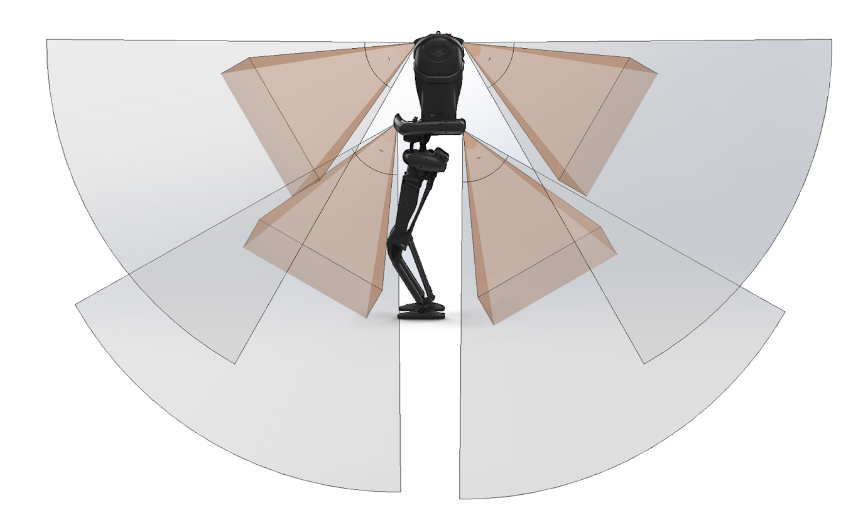
The Kangaroo robot comes with a total of 4 high resolution RGB-D Cameras of the Intel RealSense D435i series. These are mounted in front of the robot and on the back. These cameras are connected to the robot multimedia PC and the obtained Field of View (FoV) of the robot with this is shown below.
Sensorized Foot — ATI Mini58 FT Sensor (SI-2800-120)#
The sensorized foot integrates an ATI Mini58 six-axis Force/Torque sensor with the SI-2800-120 calibration.
Axis |
Sensing range |
Resolution |
|---|---|---|
Fx, Fy |
± 2800 N |
0.75 N |
Fz |
± 6800 N |
1.25 N |
Tx, Ty |
± 120 Nm |
0.0225 Nm |
Tz |
± 120 Nm |
0.0125 Nm |
The sensor body is machined from high yield-strength stainless steel. Overload capacity is 4.9–21× the rated range depending on axis.